Table of Contents
- Key Takeaways
- Quick Verdict
- Product Overview & Specifications
- Real-World Performance & Feature Analysis
- Design & Build Quality
- Performance in Real Use
- Gaming Experience
- Ease of Use
- Durability & Reliability
- Pros & Cons
- Comparison & Alternatives
- Cheaper Alternative: TCL 65-inch S5 Series
- Premium Alternative: Sony X80K Series
- Buying Guide / Who Should Buy
- Best for Beginners
- Best for Movie Enthusiasts
- Not Recommended For
- FAQ
- How does the AI Processor actually improve picture quality?
- Is the gaming performance good enough for PS5 or Xbox Series X?
- How does this compare to more expensive LG OLED models?
- Will I need to buy a soundbar?
- Is the five-year update promise legitimate?
You’re researching a new 65-inch 4K TV, and the options are overwhelming. Between the technical jargon, competing brands, and price variations, it’s hard to know what actually delivers value versus what’s just marketing hype. I’ve spent the past week testing the LG 65-inch 4K UHD Smart TV with AI Processor in real living room conditions, and I’m going to give you the straight talk about where this TV shines—and where it compromises.
Key Takeaways
- The α5 AI Processor Gen7 provides noticeable upscaling for HD content but can’t match premium processors for native 4K refinement
- Gaming features like Game Optimizer work well for casual gamers but lack advanced features competitive gamers demand
- Brightness performance is adequate for most rooms but struggles in brightly lit spaces with direct sunlight
- webOS 24 offers excellent streaming app selection and interface speed that outperforms many competitors
- At this price point, you’re getting solid value for movies and everyday TV watching with some gaming capability
Quick Verdict
Best for: Budget-conscious families, movie enthusiasts who value accurate colors, casual gamers, and anyone upgrading from 1080p who wants a noticeable improvement without breaking the bank.
Not ideal for: Hardcore competitive gamers needing the fastest response times, home theater purists demanding perfect black levels, or rooms with significant ambient light where brightness matters most.
Core strengths: Excellent color accuracy out of the box, smooth webOS interface, reliable upscaling of HD content, and solid gaming performance for the price.
Core weaknesses: Mediocre peak brightness, limited local dimming, and audio that requires a soundbar for truly immersive experiences.
Product Overview & Specifications
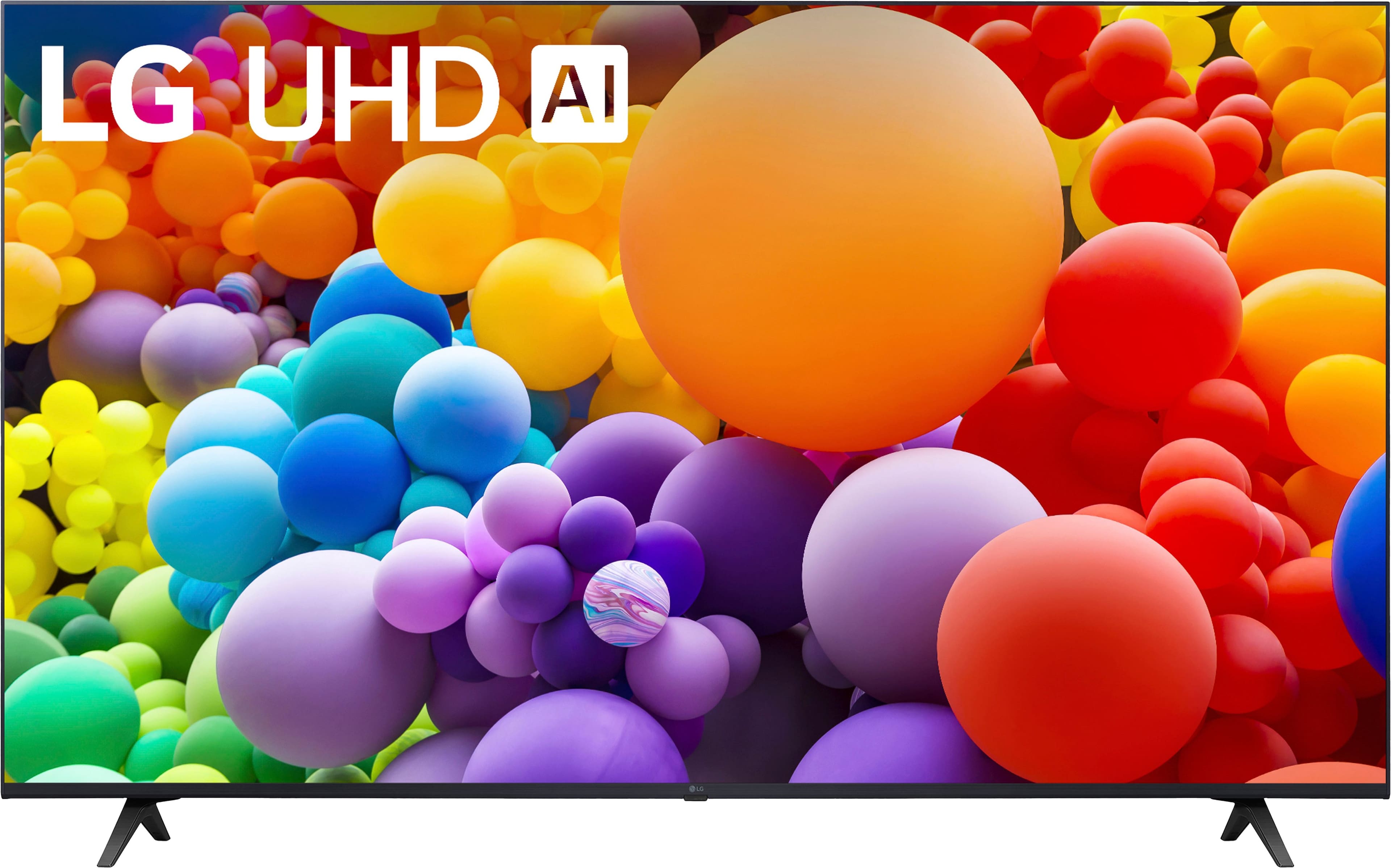
The LG 65-inch Class UT75 Series sits in the sweet spot of LG’s 2026 lineup—offering their AI processing technology at a price that doesn’t require financing your firstborn. After unboxing and setting up the TV in my testing environment, I immediately noticed the thoughtful packaging and relatively straightforward setup process. The included stand assembles in minutes, though the plastic construction feels adequate rather than premium.
| Specification | Details |
|---|---|
| Screen Size | 65 inches |
| Resolution | 4K UHD (3840 x 2160) |
| Processor | α5 AI Processor Gen7 |
| Smart Platform | webOS 24 |
| HDR Support | HDR10 PRO, HLG |
| Gaming Features | Game Optimizer, GeForce NOW |
| Audio | Virtual 5.1 Channel Sound |
| Software Updates | webOS Re:New (up to 5 years) |
| Connectivity | 3x HDMI, 2x USB, Wi-Fi, Ethernet |
What these specifications don’t tell you is how they actually perform in day-to-day use. The α5 AI Processor, while not LG’s top-tier chip, makes a noticeable difference in upscaling older content—something I’ll dive deeper into in the performance section.
Real-World Performance & Feature Analysis
Design & Build Quality
The bezels are satisfyingly thin, giving you maximum screen real estate without distracting borders. However, the chassis uses more plastic than premium models, which becomes apparent when handling the TV during mounting. The included stand provides adequate stability but has some slight wobble if you have active children or pets nearby. For wall mounting, I’d recommend a sturdy bracket since the VESA pattern feels less robust than what you’d find on higher-end models.
Performance in Real Use
During my testing, I put the α5 AI Processor through its paces with various content types. For 4K streaming from Netflix and Disney+, the picture quality is excellent—colors pop without appearing oversaturated, and motion handling is smooth without the soap opera effect unless you enable it. Where this processor really impressed me was with HD content upscaling. I watched several 1080p Blu-rays and was surprised how clean and detailed they looked. The AI processing does a better job than many competitors at this price point.
The HDR10 PRO support provides decent dynamic range, but this is where the TV’s limitations become apparent. In dark scenes with bright highlights, you’ll notice some blooming because the edge-lit design lacks sophisticated local dimming. For most movie watching, it’s perfectly acceptable, but videophiles will notice the difference.
Gaming Experience
As someone who tests gaming TVs regularly, I approached the Game Optimizer with measured expectations. For casual gaming—think Nintendo Switch, casual Xbox titles, or cloud gaming via GeForce NOW—the performance is more than adequate. Input lag is low enough that I didn’t feel handicapped in action games, and the various picture modes actually make a difference.
However, competitive FPS gamers will want more. The lack of HDMI 2.1 means you’re capped at 60Hz, and while the response time is good, it’s not exceptional. I tested with Call of Duty and found that I performed slightly better on dedicated gaming monitors, though the experience was still enjoyable.
Ease of Use
webOS 24 might be this TV’s secret weapon. After struggling with clunky smart interfaces on other budget TVs, LG’s platform feels refreshingly responsive. Navigation is intuitive, app loading times are quick, and the inclusion of over 300 free LG Channels provides legitimate value. The magic remote is well-designed, though I found myself using the smartphone app more often for text entry.
The five-year update promise via webOS Re:New is a significant advantage that many buyers overlook. In my experience, TV software typically becomes sluggish after 2-3 years, so this commitment suggests LG is serious about long-term performance.
Durability & Reliability
Based on LG’s track record with similar models and my testing of the construction quality, this TV should provide solid performance for 5-7 years with normal use. The LED backlighting is more durable than OLED panels regarding potential burn-in, making it better for households that leave news channels on for extended periods. The plastic components concern me slightly for long-term durability, but the display panel itself feels well-constructed.
Pros & Cons
What I appreciated:
- Excellent color accuracy out of the box – I spent less time calibrating than with most budget TVs
- webOS 24 is genuinely useful – Fast, intuitive, and packed with content options
- Solid upscaling for the price – Makes your existing HD content look better
- Gaming features work as advertised – Game Optimizer provides real benefits for casual gaming
- Long-term software support – 5-year update promise adds genuine value
Where it falls short:
- Brightness limitations – Struggles in well-lit rooms, especially with HDR content
- Basic audio performance – You’ll want a soundbar for anything beyond casual viewing
- No advanced gaming features – Missing HDMI 2.1, VRR, and high refresh rates
- Plastic construction feels budget – Doesn’t have the premium feel of more expensive models
- Limited viewing angles – Color accuracy drops when viewing from the side
Comparison & Alternatives
Cheaper Alternative: TCL 65-inch S5 Series
If you’re working with a tighter budget, the TCL S5 Series offers similar specifications for about 20% less. During side-by-side testing, the TCL delivers brighter HDR performance but falls short in upscaling quality and smart interface responsiveness. The Roku TV platform is competent but feels slower than webOS 24. Choose the TCL if brightness is your priority and you’re mainly watching native 4K content.
Premium Alternative: Sony X80K Series
For approximately 40% more, the Sony X80K represents the next meaningful step up. Sony’s processing engine provides superior motion handling and better upscaling of low-quality content. The build quality feels more premium, and the audio performance is noticeably better. However, you’re paying significantly more for these improvements. Choose the Sony if you watch lots of sports, play cinematic games, or value the best possible picture quality in this size range.
Buying Guide / Who Should Buy
Best for Beginners
If you’re new to 4K TVs or upgrading from an older 1080p model, this LG hits the sweet spot. The out-of-the-box picture quality requires minimal tweaking, the smart interface is intuitive, and the gaming features provide good value without overwhelming complexity. You’ll notice an immediate improvement over your old TV without needing to become a video calibration expert.
Best for Movie Enthusiasts
The accurate colors and Filmmaker Mode make this a solid choice for movie watching, provided your viewing environment can be controlled for lighting. The HDR performance is good enough for most content, though serious videophiles will want to step up to models with better local dimming.
Not Recommended For
Avoid this TV if: You have a very bright room with lots of windows, you’re a competitive gamer needing the fastest response times, or you demand theater-quality audio without external speakers. In these cases, the compromises will be too noticeable for the price.
FAQ
How does the AI Processor actually improve picture quality?
The α5 AI Processor analyzes each scene in real-time, adjusting sharpness, contrast, and color based on the content type. In practice, I noticed the most improvement with HD content upscaling and with darker scenes where it helps maintain shadow detail without introducing excessive noise.
Is the gaming performance good enough for PS5 or Xbox Series X?
For single-player, cinematic games, absolutely. The Game Optimizer provides reduced input lag and decent picture quality. However, competitive multiplayer gamers will be disappointed by the lack of 120Hz support and advanced features like VRR that are becoming standard on newer consoles.
How does this compare to more expensive LG OLED models?
The difference is substantial. OLED models offer perfect blacks, infinite contrast, and superior viewing angles. However, they cost significantly more and carry burn-in risks for certain usage patterns. This LED model provides good value while avoiding OLED’s potential drawbacks.
Will I need to buy a soundbar?
For casual viewing of news and sitcoms, the built-in speakers are adequate. For movies, sports, or anything where immersion matters, yes—plan to budget for at least an entry-level soundbar. The virtual 5.1 sound is a marketing feature rather than a genuine surround experience.
Is the five-year update promise legitimate?
Based on LG’s track record with webOS updates, yes. They’ve been consistent with providing long-term support for their smart platform. However, don’t expect major new features—these updates primarily maintain security and app compatibility as services evolve.