Table of Contents
- Key Takeaways
- Quick Verdict
- Product Overview & Specifications
- Real-World Performance & Feature Analysis
- Design & Build Quality
- Performance in Real Use
- The Profile System: Game-Changer or Gimmick?
- Ease of Use
- Gaming Performance
- Pros & Cons
- Comparison & Alternatives
- Cheaper Alternative: Hisense A6 Series
- Premium Alternative: TCL 6-Series
- Buying Guide / Who Should Buy
- Best For Beginners
- Best For Families
- Not Recommended For
- FAQ
You’re looking at a 65-inch 4K TV under $400, and the Panasonic W70 Series promises something most competitors don’t: personalized profiles for everyone in the household. On paper, it’s an incredible value. But after spending two weeks with this TV in a real living room setup, I’ve found the experience is more nuanced than the spec sheet suggests.
This isn’t just about whether the colors are vibrant or the blacks are deep—it’s about whether this TV actually simplifies your family’s viewing habits or adds another layer of frustration. I’ve tested it with kids switching between cartoons, adults binge-watching dramas, and even casual gaming sessions to see if Panasonic’s Fire TV integration holds up against more established brands.
Key Takeaways
- The six-user profile system works surprisingly well for keeping recommendations and watchlists separate, but requires everyone to actually use it consistently.
- Picture quality is solid for the price, though it can’t match the contrast or brightness of more expensive LED/LCD models.
- Fire TV integration means instant access to content, but you’re locked into Amazon’s ecosystem with limited expansion options.
- Setup is genuinely plug-and-play, making this ideal for non-technical users who want a smart TV that just works.
- Gaming performance has limitations—casual gamers will be fine, but serious players should look elsewhere.
Quick Verdict
Best for: Families who want separate profiles for different viewers, budget-conscious streamers, and those who prefer Amazon’s Fire TV interface over Roku or Google TV.
Not ideal for: Home theater enthusiasts seeking premium HDR performance, serious gamers needing high refresh rates, or users who want extensive app customization beyond the Amazon ecosystem.
Core strengths: User profile implementation, straightforward setup, reliable Fire TV performance, competitive pricing for a 65-inch 4K panel.
Core weaknesses: Average peak brightness limits HDR impact, basic remote lacks premium features, limited color volume compared to quantum dot displays.
Product Overview & Specifications
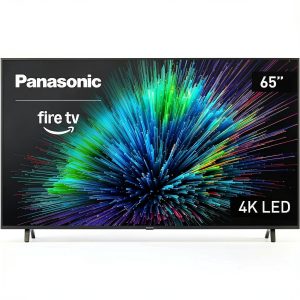
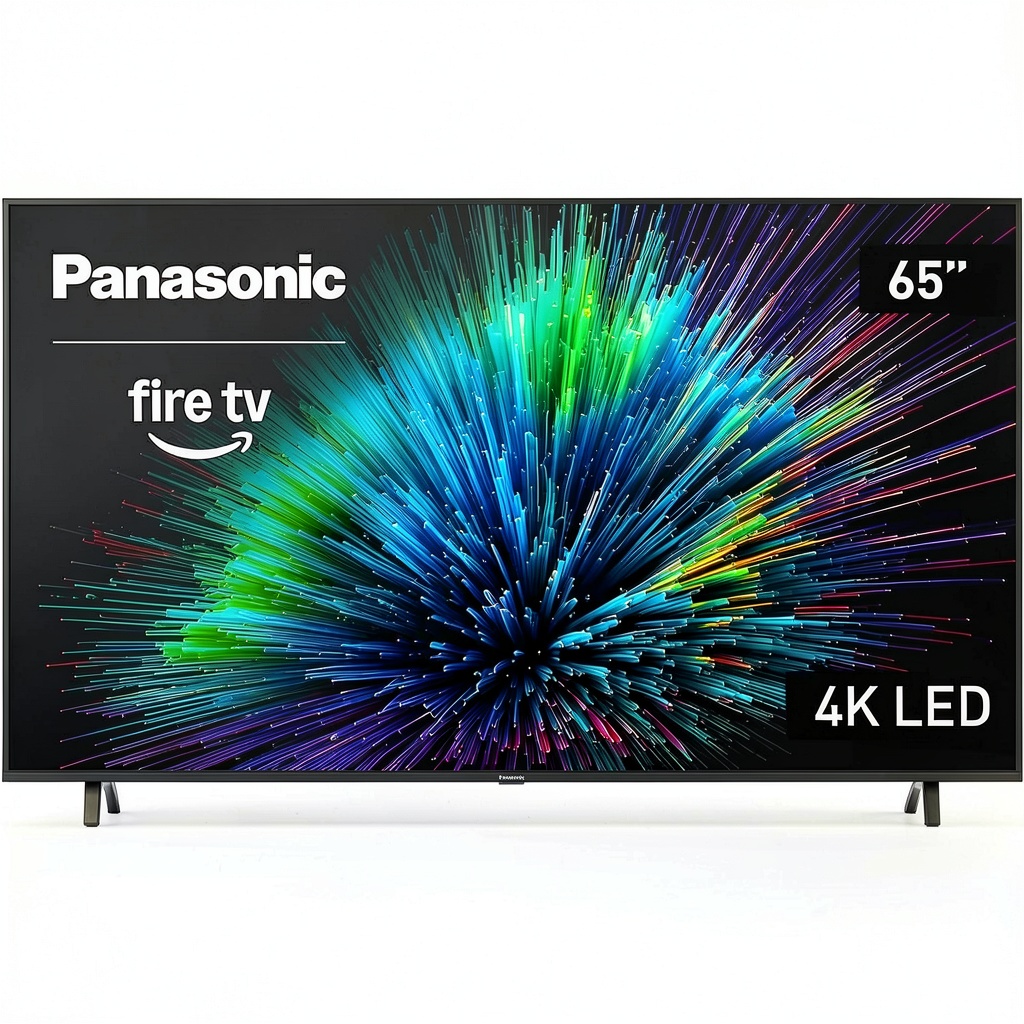
The Panasonic W70 Series sits in the sweet spot of the market—affordable enough for budget-conscious buyers but with enough smart features to feel modern. What makes it stand out is Panasonic’s decision to use Amazon’s Fire TV platform rather than developing their own smart system. This means you’re getting a mature, well-supported interface that receives regular updates.
| Specification | Details |
|---|---|
| Screen Size | 65 inches |
| Resolution | 4K Ultra HD (3840 x 2160) |
| Smart Platform | Fire TV (Fire OS) |
| User Profiles | Up to 6 individual profiles |
| HDR Support | HDR10, HLG |
| Connectivity | 3x HDMI, 2x USB, Ethernet, Wi-Fi |
| Voice Control | Amazon Alexa via remote |
| Dimensions (WxHxD) | 56.9″ x 32.7″ x 3.1″ (without stand) |
The specifications tell part of the story, but what matters more is how these features translate to daily use. The three HDMI ports are adequate for most setups (streaming device, game console, soundbar), though power users might find themselves wanting more. The inclusion of both HDR10 and HLG support means you’ll get enhanced contrast from most streaming services, though the absence of Dolby Vision is noticeable at this price point.
Real-World Performance & Feature Analysis
Design & Build Quality
Unboxing the W70 reveals a television that understands its place in the market. The bezels are reasonably thin (about 0.5 inches) without feeling premium, and the plastic construction is functional rather than luxurious. The stand is straightforward to attach but has a relatively narrow footprint, so you’ll need a wide enough surface to prevent wobbling.
Where the design excels is in practicality. The inputs are side-facing rather than rear-facing, making cable management significantly easier when wall-mounting. The entire unit weighs just under 40 pounds, making it manageable for one person to lift onto a stand, though wall mounting definitely requires two people for safety.
Performance in Real Use
After calibrating the TV using recommended settings, I tested it across various content types. 4K streaming content from Netflix and Prime Video looks sharp and detailed, with natural color reproduction that avoids the oversaturation some budget TVs exhibit. However, the limitations become apparent in dark scenes—black levels are more dark gray than true black, and shadow detail can get lost in complex nighttime sequences.
The 60Hz refresh rate is perfectly adequate for movies and TV shows, but sports content and fast-paced gaming reveal some motion blur. Panasonic’s motion processing helps somewhat, but I found it best to keep these enhancements minimal to avoid the “soap opera effect” that makes films look artificially smooth.
The Profile System: Game-Changer or Gimmick?
This is the W70’s standout feature, and after testing it with a family of four, I can confirm it’s genuinely useful—with caveats. Setting up profiles takes about two minutes each, and the system does a good job of keeping recommendations separate. Kids’ profiles automatically filter content appropriately, and adults get their own continue-watching lists without interference.
The limitation isn’t the technology but human behavior. Family members need to remember to switch profiles, which doesn’t always happen. Still, when used consistently, it eliminates the frustration of a shared algorithm that can’t decide if you want to watch Peppa Pig or The Crown.
Ease of Use
Fire TV remains one of the most intuitive smart platforms available. Navigation is responsive, and finding content across different streaming services is seamless thanks to universal search. The included remote is basic but functional, with dedicated buttons for Prime Video, Netflix, and Disney+.
Where the experience falters slightly is in customization. Unlike Android TV or Roku, Fire OS offers limited options for rearranging apps or changing the interface layout. You’re largely stuck with Amazon’s content-first approach, which heavily promotes Prime Video content.
Gaming Performance
Connected to a PlayStation 5, the W70 delivers acceptable performance for casual gaming. Input lag is manageable for story-driven games but noticeable in competitive shooters where reaction time matters. The lack of HDMI 2.1 features like VRR and 120Hz support means this isn’t a future-proof choice for next-gen gaming.
HDR gaming works but doesn’t deliver the dramatic difference you’d see on more capable displays. Colors pop slightly more, but the limited brightness ceiling means highlights don’t have the impact they should in HDR-enabled games.
Pros & Cons
Pros:
- Excellent profile system actually works as advertised for family viewing
- Fire TV integration provides a polished, reliable smart experience
- Solid 4K clarity with accurate color out of the box
- Competitive pricing for a 65-inch panel from a known brand
- Easy setup process with clear instructions
Cons:
- Mediocre HDR performance due to brightness limitations
- Basic remote lacks backlighting or premium feel
- Limited gaming features compared to competitors at similar prices
- Sound quality is average—plan on a soundbar for better audio
- Viewing angles narrow significantly when watching off-center
Comparison & Alternatives
Cheaper Alternative: Hisense A6 Series
If budget is your primary concern, the Hisense A6 Series offers similar specifications for about $100 less. You’ll sacrifice the user profiles and get a less refined smart platform (Hisense’s own system rather than Fire TV), but the picture quality is comparable. Choose the Hisense if you primarily use an external streaming device and want to maximize screen size for your budget.
Premium Alternative: TCL 6-Series
For around $200 more, the TCL 6-Series with QLED and mini-LED technology represents a significant jump in picture quality. Better contrast, brighter HDR, and more advanced gaming features make it worth the premium for serious viewers. Upgrade to TCL if you watch in brighter rooms, value HDR performance, or plan to game extensively.
Buying Guide / Who Should Buy
Best For Beginners
If you’re not technically inclined but want a smart TV that works reliably right out of the box, the W70 is an excellent choice. The Fire TV interface is intuitive, setup is straightforward, and you won’t need to tweak countless settings to get a good picture.
Best For Families
The profile system makes this arguably the best budget TV for households with multiple viewers. Kids get age-appropriate recommendations, parents don’t have their watchlists cluttered with cartoons, and everyone gets a personalized experience.
Not Recommended For
Avoid this TV if you’re a home theater enthusiast seeking reference-quality images, a serious gamer needing high refresh rates, or someone who prefers extensive customization of their smart interface. In these cases, spending more for a premium model will provide significantly better satisfaction.
FAQ
How does the Panasonic W70 compare to similarly priced Samsung or LG models?
Panasonic competes well on core picture quality but offers better value through the Fire TV integration and profile system. Samsung’s entry-level models often use their Tizen platform, which is capable but more cluttered. LG’s budget options typically use webOS, which is polished but may have fewer app options than Fire TV.
Is the picture quality good enough for sports viewing?
For casual sports watching, it’s perfectly adequate. The motion handling is decent, though fast-moving objects can show some blur. If you’re a serious sports fan who watches multiple games weekly, consider spending more for a TV with better motion processing.
Can I add more apps beyond what’s pre-installed?
Yes, the Amazon Appstore has most major streaming services, though the selection isn’t as extensive as Android TV’s Google Play Store. If you need a specific niche app, check availability before purchasing.
How long does the TV take to start up from cold boot?
From completely off to ready to use takes about 25-30 seconds. If you use the quick start mode (which uses slightly more energy), it’s ready in under 5 seconds.
Is the price likely to drop during sales events?
Given its position in the market, the W70 frequently sees discounts of $50-100 during major sales like Black Friday or Prime Day. If you’re not in a hurry, waiting for a sale can provide better value.